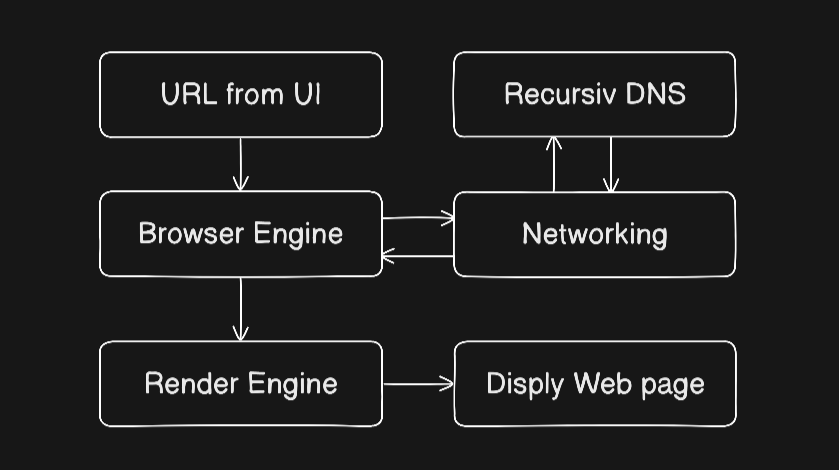
How a Browser Works: A Beginner-Friendly Guide to Browser Internals
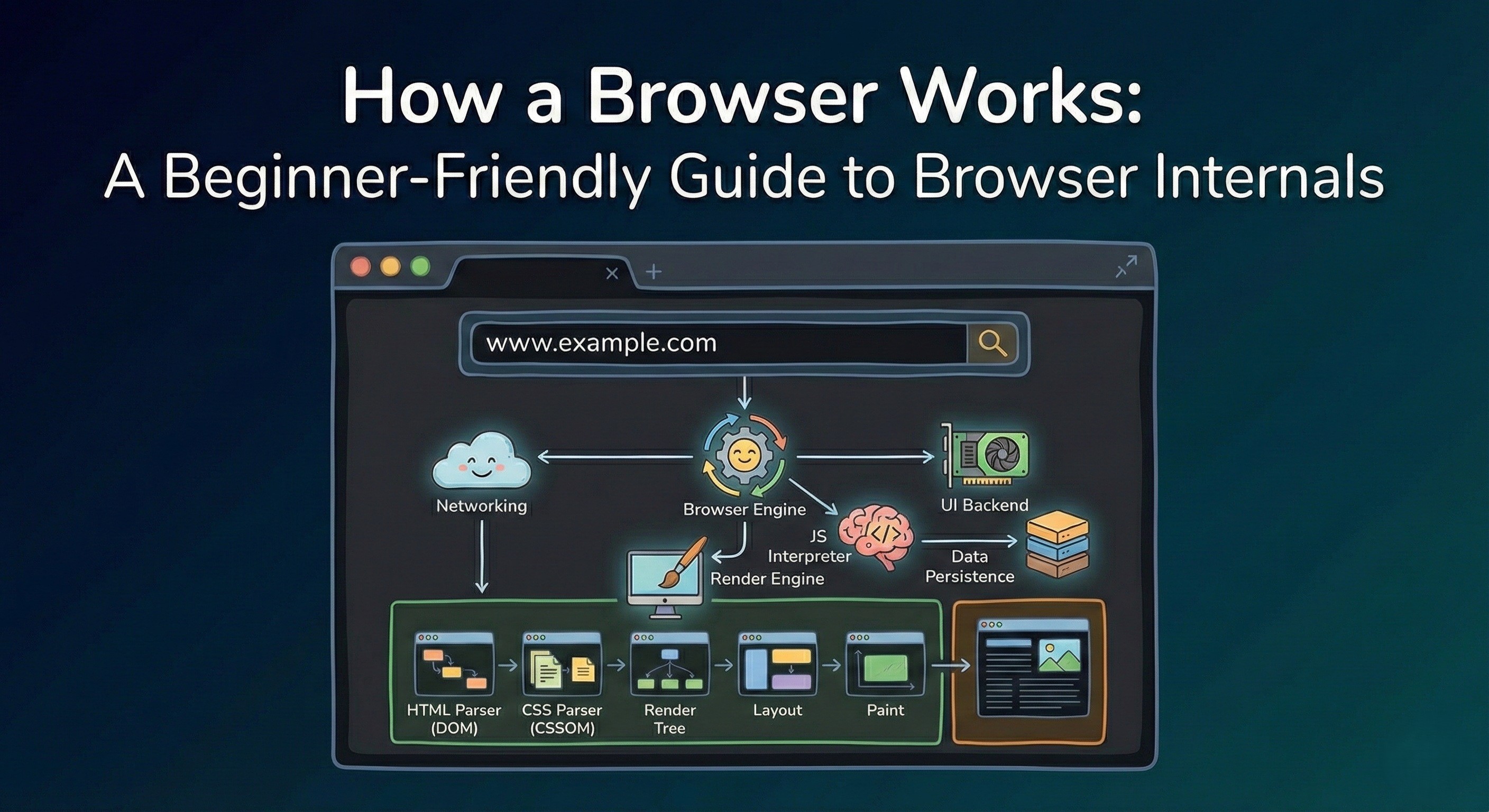
Ever thought What happens inside a browser after you type a URL and press Enter?
Well, today you’ll learn how a browser works internally, no super technical stuff will be thrown at you, it will be an smooth ride with diagrams and mental models.
Starting with the Browser's Architecture.
Browser Architecture
This is an overview diagram of the Browser Architecture.
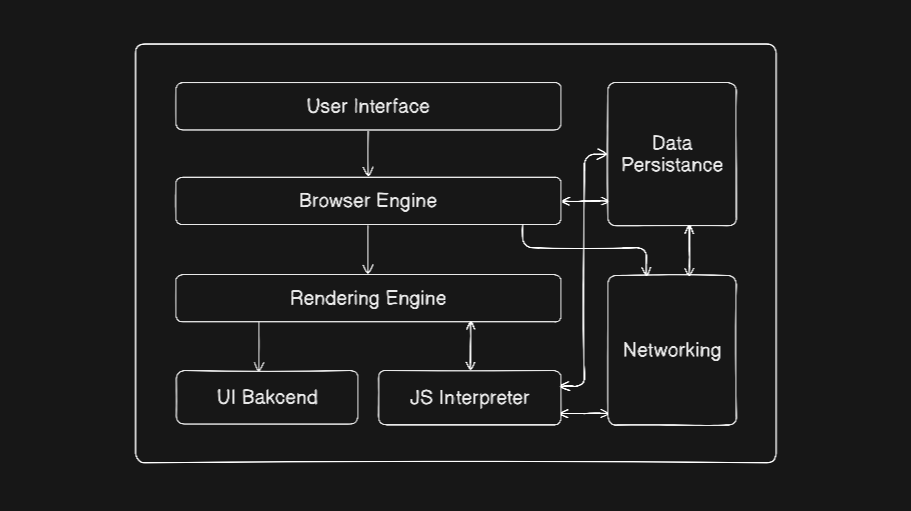
User Interface :
This is all that you see and interact with on the Browser Window.
Search / Address bar
back & forward buttons
Tabs
Bookmarks
DevTools UI
Browser Engine :
This is the middleware / coordinator / traffic controller between User Interface and Render Engine.
It’s job is to :
Handle user interactions
Tell render engine what to load
Manages navigation & history
Instruct the rendering engine what to load
Coordinate UI, networking, Renderer and storage
Render Engine :
This is where the heavy lifting happens.
It :
Parses HTML & CSS
Builds the DOM & CSSOM
Combines them into a Render Tree
Makes Layout / calculates sizes & positions
Generates paint instructions
Examples:
Blink (Chrome)
Gecko (Firefox)
Webkit (Safari)
Browser Engine VS Render Engine :
The main difference
Browser engine tells the render engine what to render(display),
Where as Render engine works on the actual rendering logic.
Networking :
Handles:
HTTP/HTTPS
DNS resolution
Fetching of HTML, CSS, JS, images, videos
JavaScript Interpreter :
it :
Executes JS
Modifies DOM
Modifies CSSOM
Handles events
Examples:
V8 engine (chrome)
SpiderMonkey (Firefox)
UI Backend :
This component :
Takes the paint instructions form rendering engine
Renders it on the screen by using OS graphics APIs and the GPU
Data Persistence :
Contains:
Cookies
LocalStorage
IndexedDB
Cache
History
Used by:
Browser engine
JS Interpreter
Networking
Rendering Pipeline
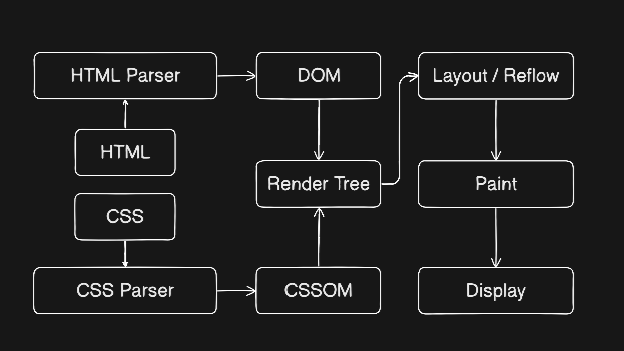
HTML Parser :
The browser cannot wark directly with raw HTML text. It has to be converted into something that browser can do calculations and perform render logic on.
The HTML parser solves this by making a tree out of the HTML file which is known as DOM(Document Object Model).
Steps:
It breaks HTML into tokens
Converts tokens into nodes
Builds the DOM tree using HTML specification rules
This is a simple DOM tree example
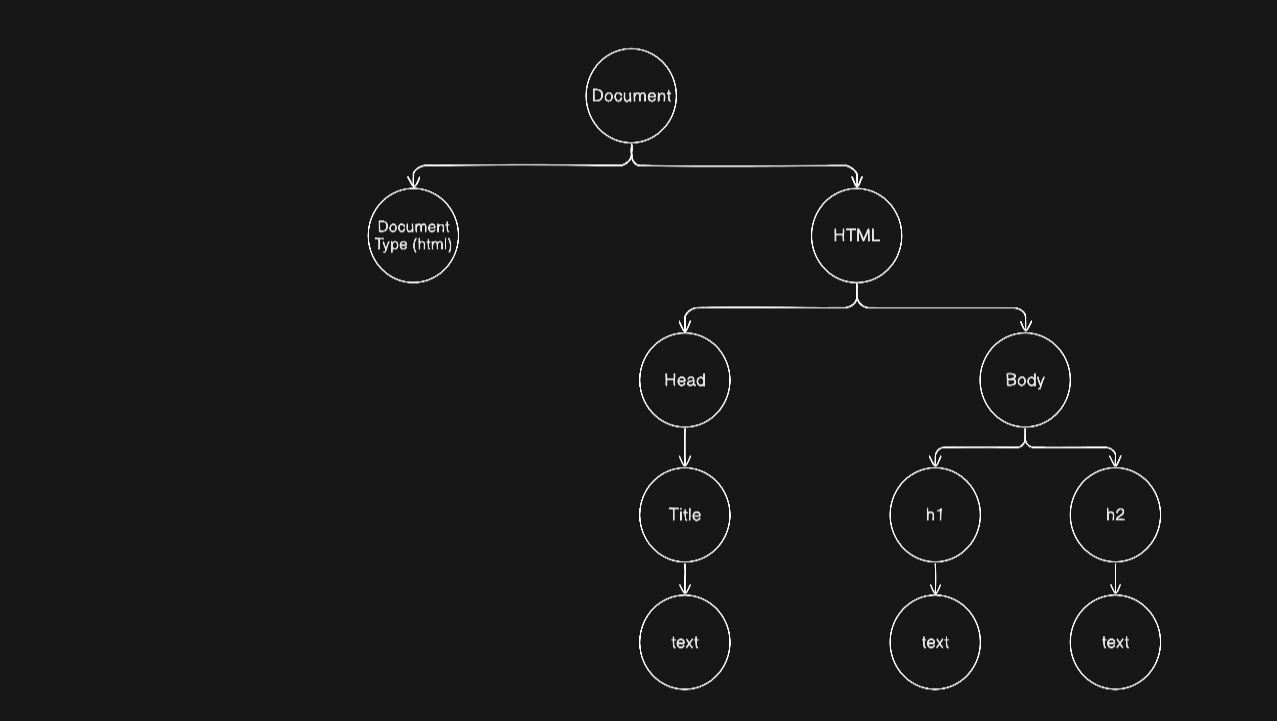
When this parser encounters a <script> tag, it pauses HTML parsing coz JavaScript can modify DOM
CSS Parser :
CSS Parser serves the same purpose as HTML parser, It converts raw CSS into CSSOM (CSS Object Model).
Example of a CSSOM
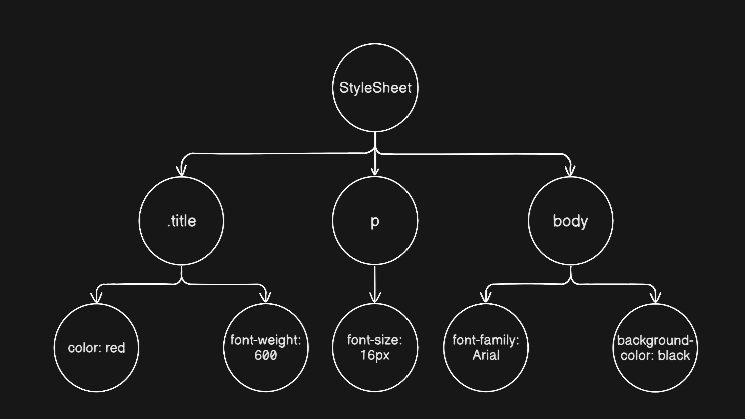
Render Tree :
Here the browser combines :
DOM nodes
Matching CSS rules from the CSSOM
It excludes:
Non-visual nodes(like
<head>)Elements with
display: none
This tree contains only what will actually be drawn on the screen.
This tree will not be build until both DOM and CSSOM are ready.
Layout (Reflow) :
Here browser calculates:
Positions
Box model
Width / height
In short
This decides how everything will be arrange on the screen based on Render Tree.
Paint :
Finally:
Browser converts layout into pixels
Draws text, colors, borders
Sands instructions to the GPU
And now you can see the web page.
Final flow :
Here’s the full browser flow from URL to pixels on screen