CSS Selectors 101: Targeting Elements with Precision
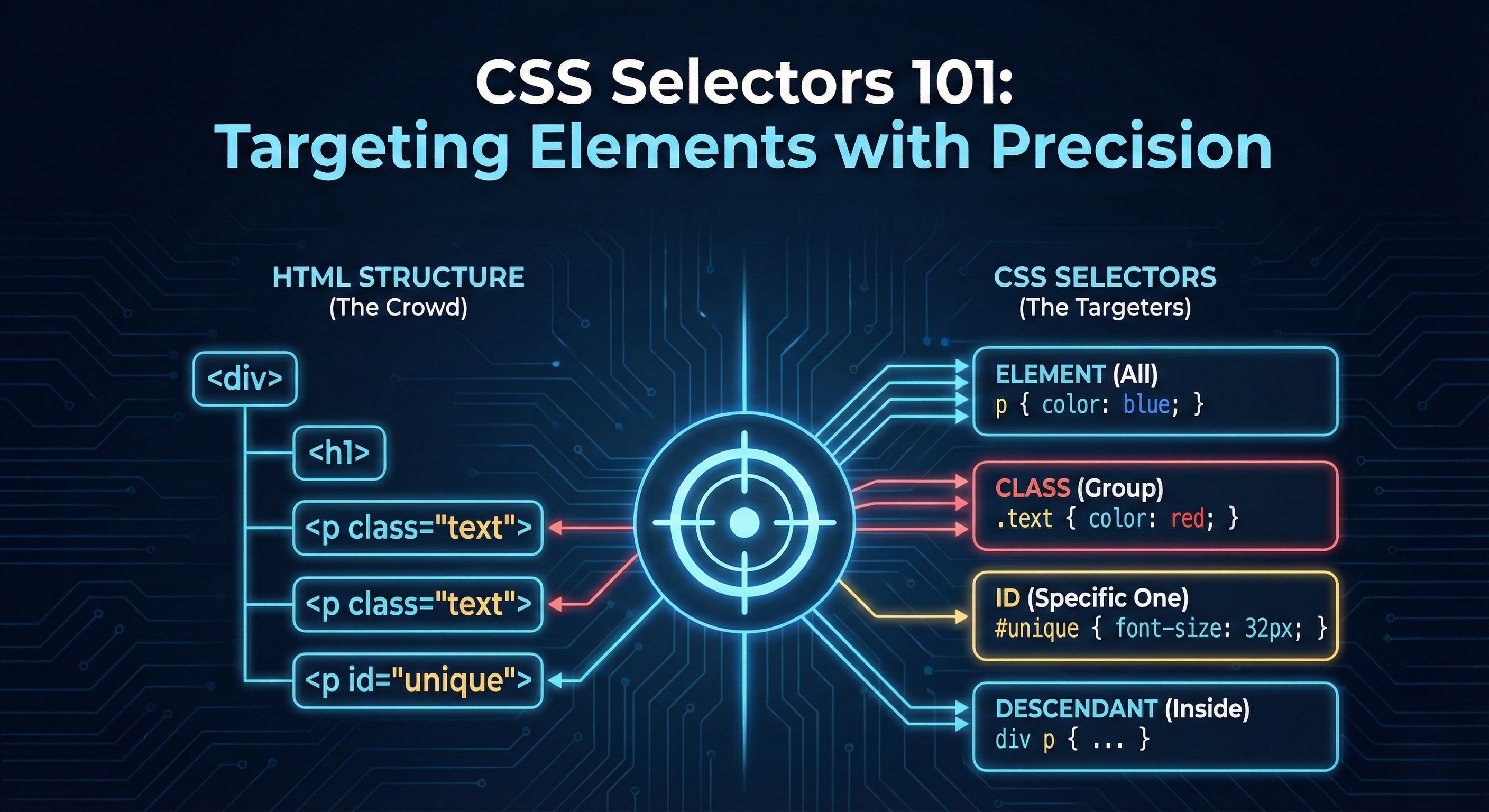
Before we write any CSS, let’s understand one important thing.
Why CSS Selectors Are Needed
A webpage is full of HTML elements:
Headings
Paragraphs
Buttons
Divs everywhere
CSS doesn’t magically know what to style.
So we need a way to tell the browser:
“Style this element.
Not that one.
Not all of them.
Just this.”
That’s exactly what CSS selectors do.
Selectors are how you choose elements in HTML.
Think of Selectors Like Addressing People
Imagine a classroom.
You can say:
“Everyone, stand up”
“Students wearing a blue shirt, stand up”
“Rahul, stand up”
Each sentence targets people differently.
CSS selectors work the same way.
Element Selector (Target by Tag Name)
This is the simplest selector.
Example
p {
  color: blue;
}
This means:
“Style all
<p>elements.”
If your HTML is:
<p>Hello</p>
<p>World</p>
Both paragraphs turn blue.
Use element selectors when:
- You want to style all elements of a type
Class Selector (Target a Group)
Classes are used when:
You want to style some elements
But not all of them
HTML
<p class="highlight">Important text</p>
<p>Normal text</p>
CSS
.highlight {
  color: red;
}
Only the first paragraph changes.
Key idea:
- Class selector starts with a
.
Classes are reusable.
You can apply the same class to many elements.
ID Selector (Target One Specific Element)
IDs are used for unique elements.
HTML
<h1 id="main-title">Welcome</h1>
CSS
#main-title {
  font-size: 32px;
}
Key idea:
ID selector starts with
#IDs should be unique on a page
Use IDs when:
- You want to style or reference one specific element
Class vs ID
Class
Reusable
For groups
Used frequently
ID
Unique
One element only
Used sparingly
Simple rule:
Class for many, ID for one
Group Selectors
Sometimes different elements need the same style.
CSS
h1, h2, p {
  font-family: Arial;
}
This means:
“Apply this style to h1, h2, and p.”
Group selectors save repetition.
Descendant Selectors
You can select elements inside a specific element.
HTML
<div class="card">
  <p>This paragraph is inside a card</p>
</div>

<p>This paragraph is outside</p>
CSS
.card p {
  color: green;
}
Only the paragraph inside .card is styled.
Read it like:
“Paragraphs that live inside
.card”
This is how you style components.
Basic Selector Priority
What if multiple selectors target the same element?
CSS follows priority rules.
At a very high level:
ID selector (strongest)
Class selector
Element selector (weakest)
So:
p { color: blue; }
.text { color: red; }
#main { color: green; }
If all three apply:
- Green wins
If multiple selectors of same specificity are there:
- The cascading nature is followed
- And the last one wins
Don’t overthink this yet.
Just remember:
More specific selector wins
Selectors Are the Foundation of CSS
Colors, layouts, animations,
everything in CSS starts with:
“Which element am I styling?”
If selectors are clear:
CSS becomes cake walk
Debugging becomes easier
Final Mental Model
Selector = who to style
Element selector = everyone of that type
Class selector = selected group
ID selector = one person
Descendant selector = inside something


