How DNS Resolution Works
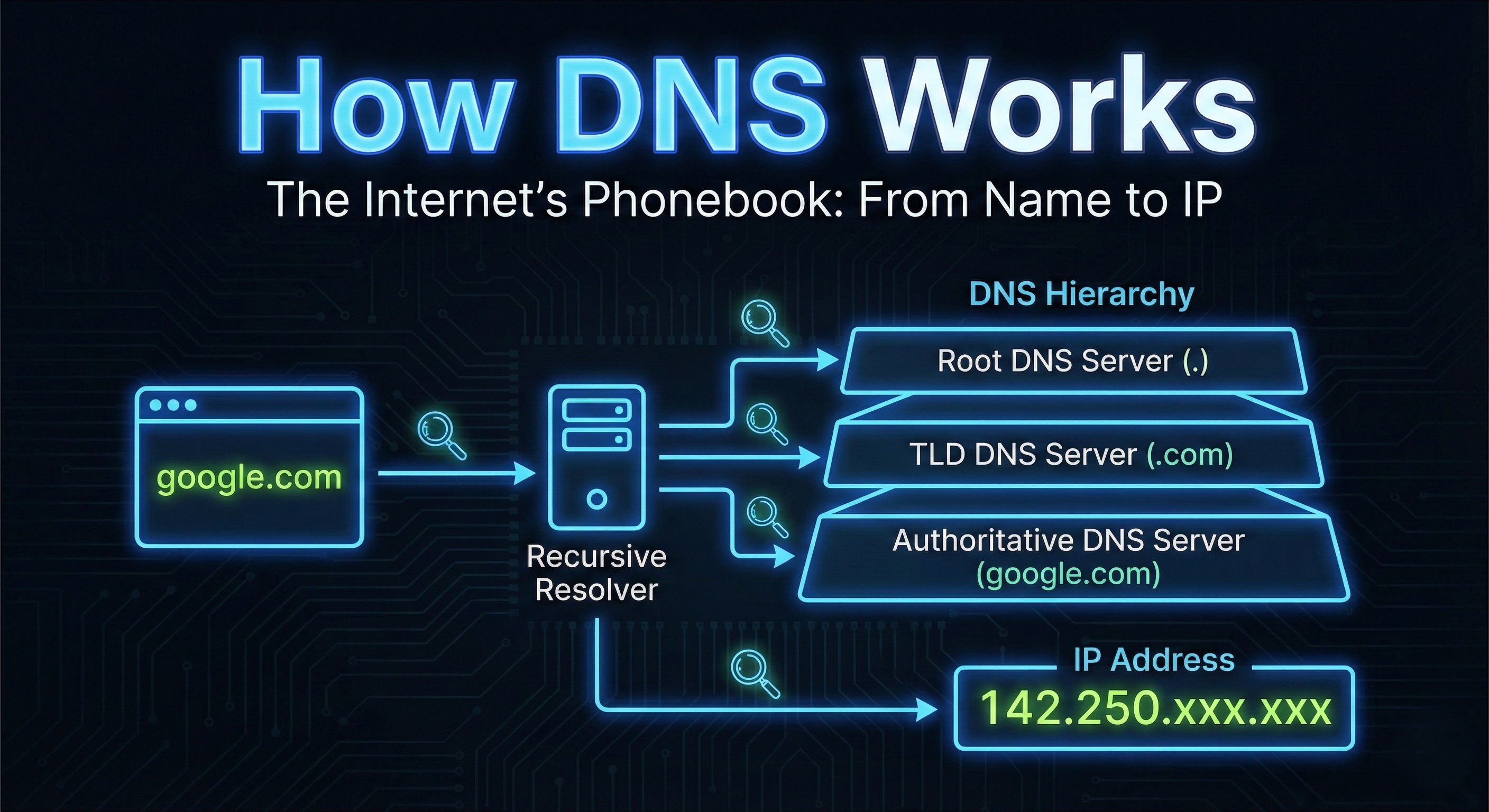
Hey there developers!
Every single day, you type things like:
And magically… the website loads.
But here’s the real question:
How does the internet know where
google.comlives?
Who translates this name into an IP address?
And how does this process actually work under the hood?
That’s where DNS comes in.
Today, we’ll break DNS down layer by layer, exactly how it works in the real world.
No memorization.
Just a clean mental model.
What is DNS and Why Name Resolution Exists
Let’s start with the obvious.
Computers do not understand domain names.
They understand IP addresses, like:
142.250.195.46
Humans, on the other hand, prefer:
google.com
So we need a system that:
Translates names → IP addresses
Works globally
Scales to billions of requests
That system is DNS (Domain Name System).
Simple definition
DNS is the internet’s phonebook
You give it a name.
It gives you the number.
High-Level DNS Resolution Flow
Before diving into commands, let’s see the big picture.
When you type google.com in your browser:
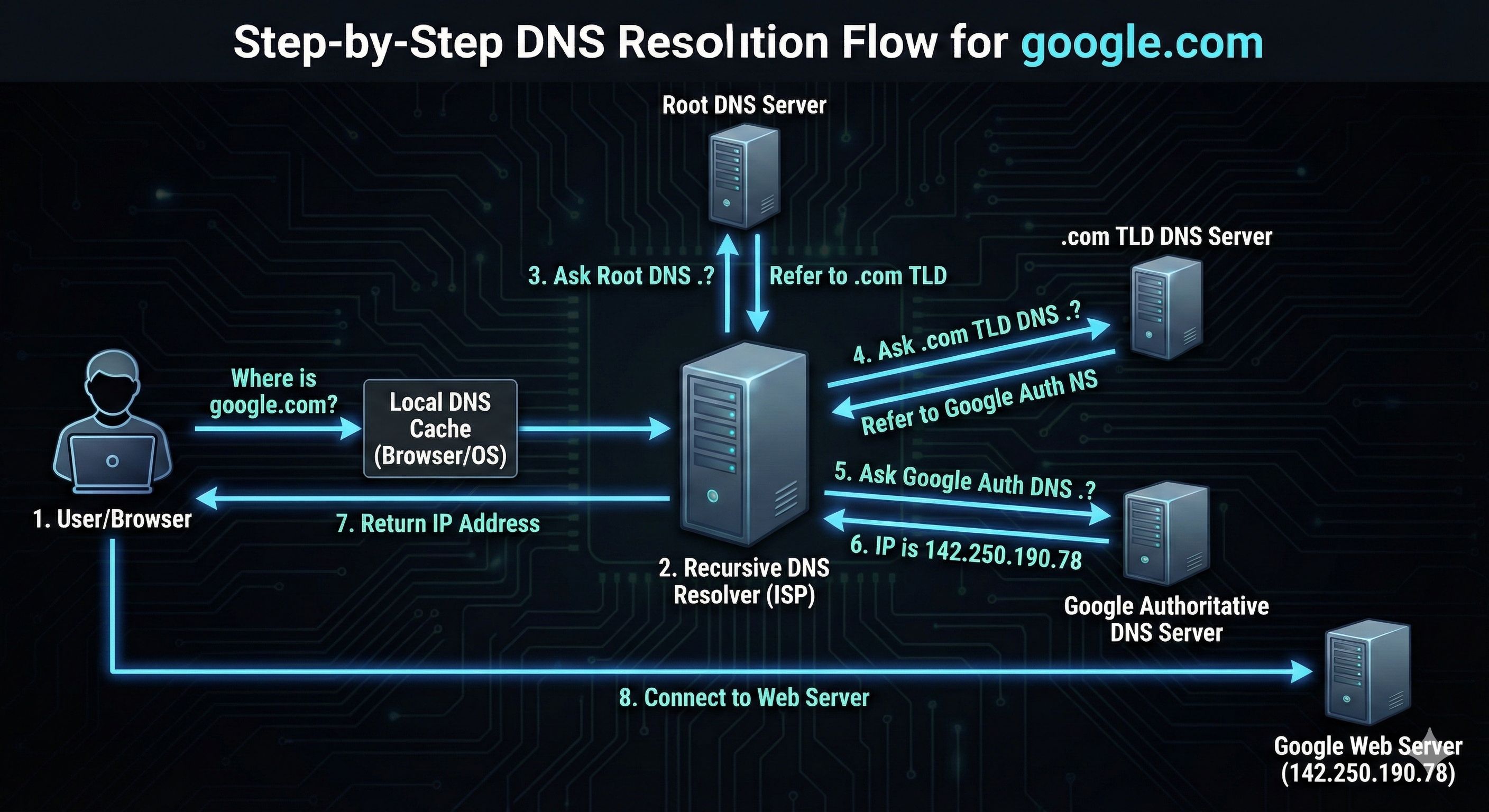
Now let’s understand each step, using dig.
What is the dig Command and When It Is Used
dig stands for:
Domain Information Groper
It’s a DNS diagnostic tool.
Developers use dig to:
Inspect DNS records
Debug DNS issues
Understand resolution paths
Verify production setups
Unlike browsers, dig shows you:
what DNS is actually doing
DNS Resolution Happens in Layers
DNS is hierarchical, not flat.
Think of it like this:
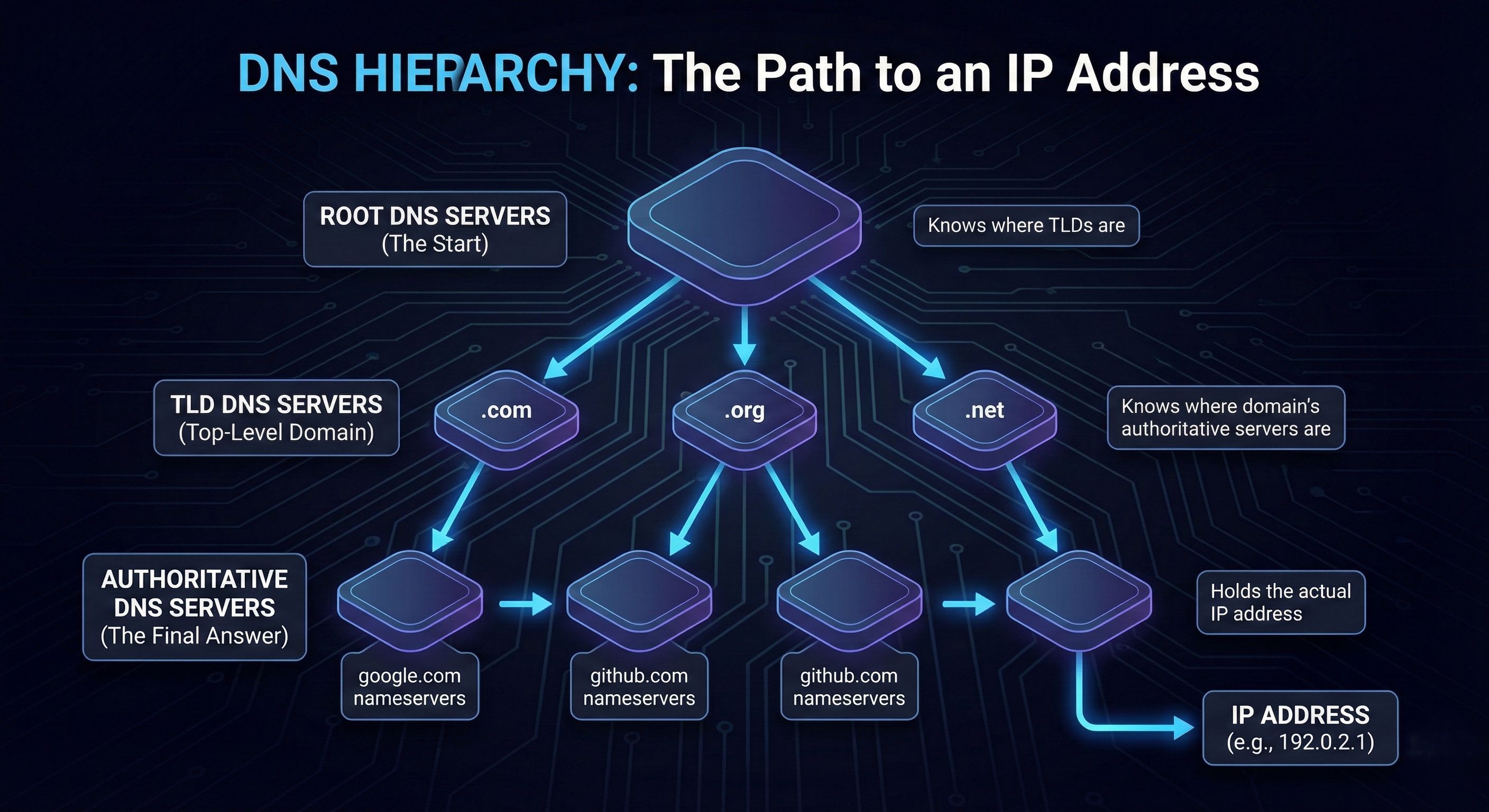
Each layer knows only one thing:
“Who is responsible for the next layer?”
This is the key idea to understand DNS.
dig . NS → Root Name Servers
Let’s start at the top.
dig . NS
What does this mean?
.represents the root of DNSNSmeans Name Servers
This command asks:
Who are the name servers for the root?
Root Name Servers
Root servers:
Don’t know IPs for websites
Only know where TLD servers are
There are 13 logical root servers (A–M), operated globally.
Root servers are starting points, not answer machines.
dig com NS → TLD Name Servers
Next level down.
dig com NS
Now you’re asking:
Who manages
.comdomains?
What TLD servers do
TLD servers:
Don’t know IPs for
google.comKnow which authoritative servers manage each domain
So .com servers reply with:
“Ask Google’s name servers.”
dig google.com NS → Authoritative Name Servers
Now we’re getting closer.
dig google.com NS
This asks:
Who is authoritative for
google.com?
The response lists Google’s authoritative DNS servers.
Why NS records matter
NS records define:
Ownership
Control
Source of truth
Whoever controls authoritative servers controls the domain.
dig google.com → Full DNS Resolution
Now the final step.
dig google.com
This returns:
A record (IPv4)
Possibly AAAA record (IPv6)
Example:
google.com. A 142.250.xxx.xxx
This is the IP your browser actually uses.
How Recursive Resolvers Use All This
Your browser does not talk to root servers directly.
Instead, it asks a recursive resolver, usually provided by:
ISP
Google DNS (8.8.8.8)
Cloudflare (1.1.1.1)
Recursive resolver’s job
Ask root servers
Ask TLD servers
Ask authoritative servers
Cache the result
Return the IP to your browser
This is why DNS is fast after the first lookup.
Mapping dig Commands to DNS Stages
Let’s connect everything.
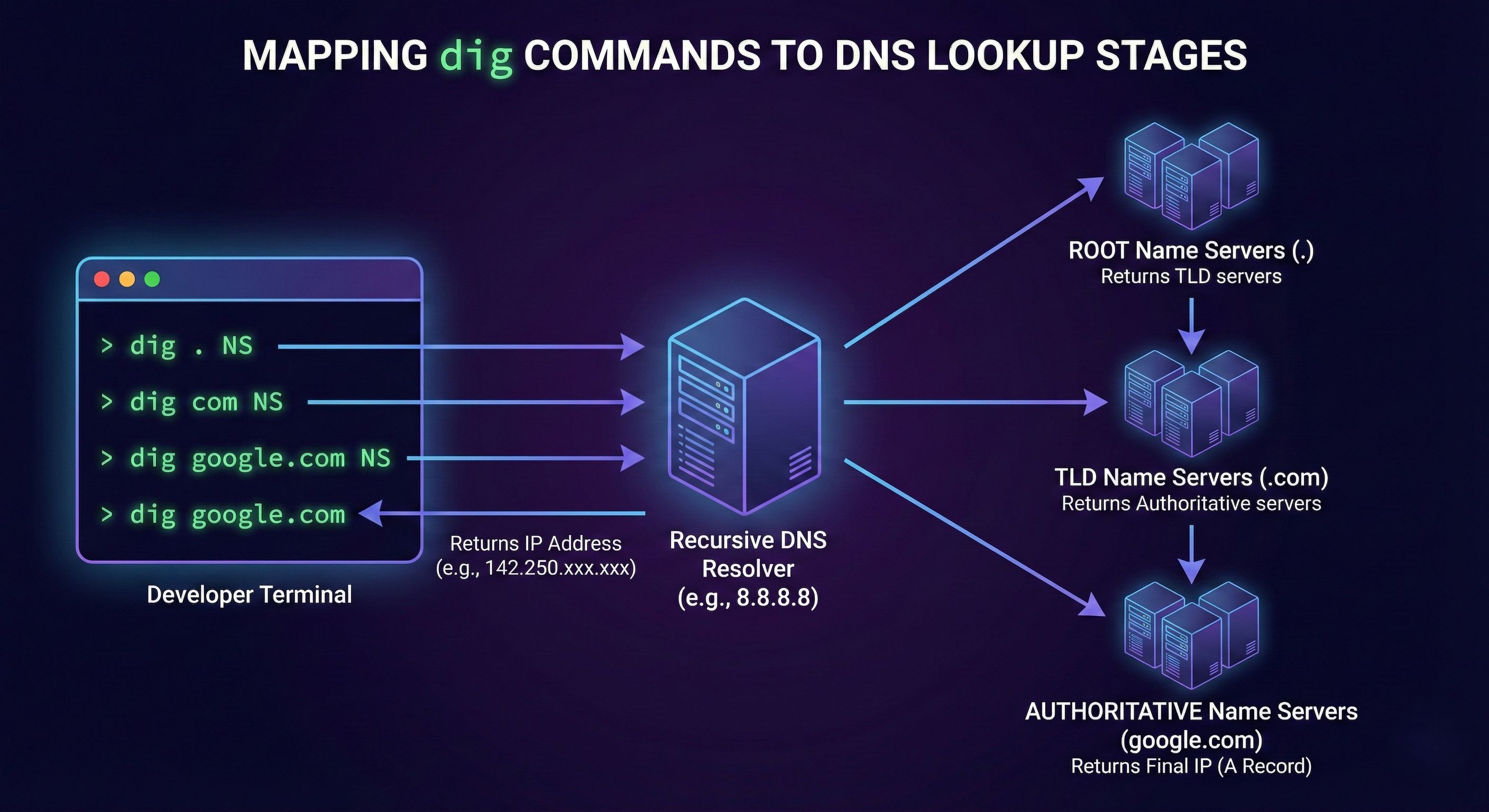
Each command reveals one layer of the DNS hierarchy.
Connecting DNS to Real Browser Requests
When you type:
https://google.com
What actually happens:
Browser asks recursive resolver
Resolver finds IP via DNS hierarchy
Browser opens TCP connection
TLS handshake happens
HTTP request is sent
DNS is step zero of the entire web.
If DNS fails:
Nothing else matters.
Why This Matters for Backend & System Design
As a software engineer:
Load balancers rely on DNS
Failover uses DNS
CDNs are DNS-based
Multi-region systems depend on DNS
DNS is not “networking trivia”.
It’s core infrastructure knowledge.
Mental Model to Remember
Think of DNS as:
A hierarchical directory
Delegation at every level
No server knows everything
Each server knows who to ask next
Once this clicks:
digoutput makes senseDNS debugging becomes logical
System design discussions feel clearer


