Understanding Network Devices
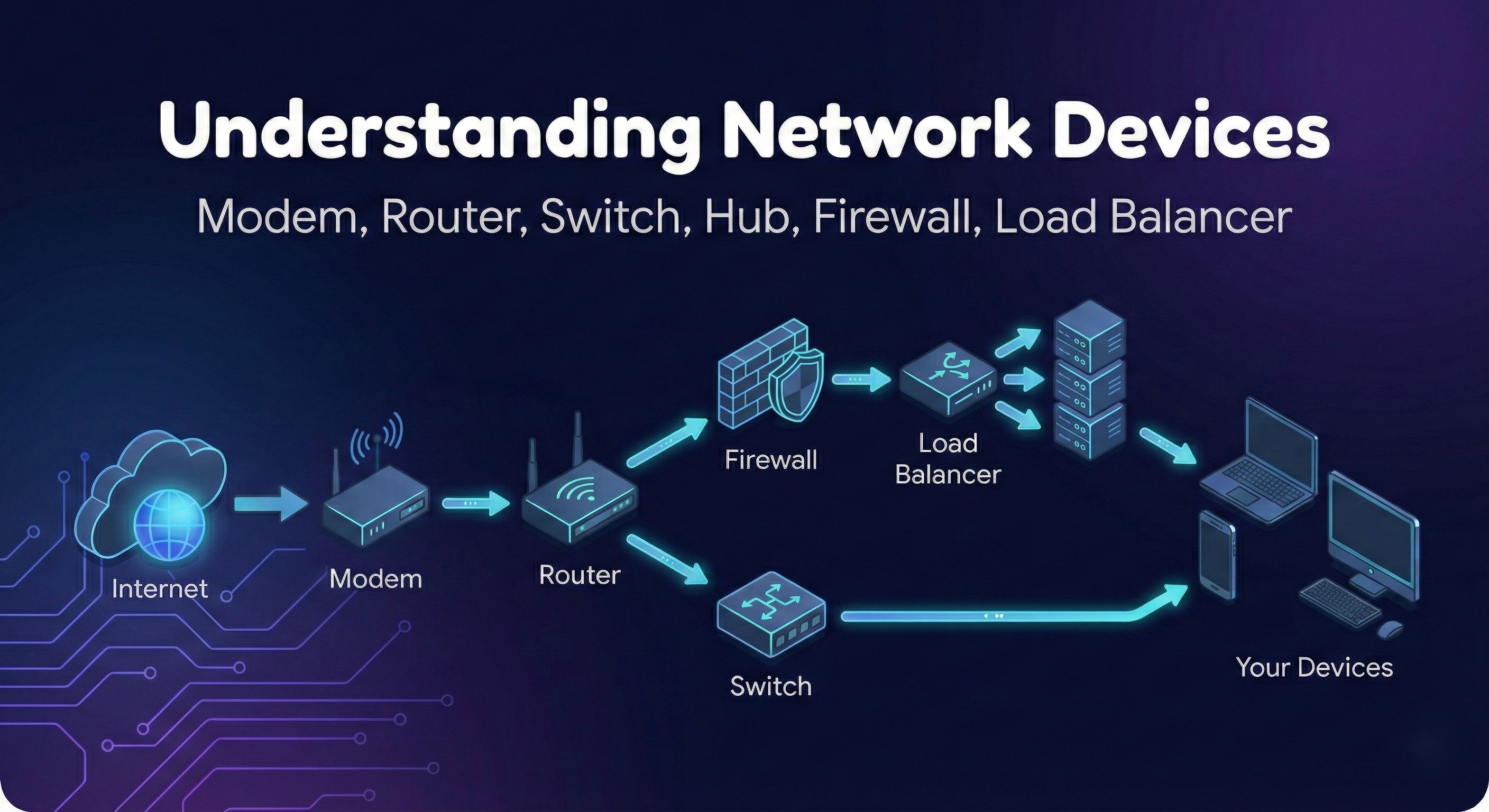
Before diving into networking devices, let's first understand how the internet reaches you.
Big Picture: How the Internet Reaches Your Home or Office
When you open a website:
The data doesn’t magically appear
It travels through multiple devices
Each device has one specific responsibility
Here’s the basic flow:
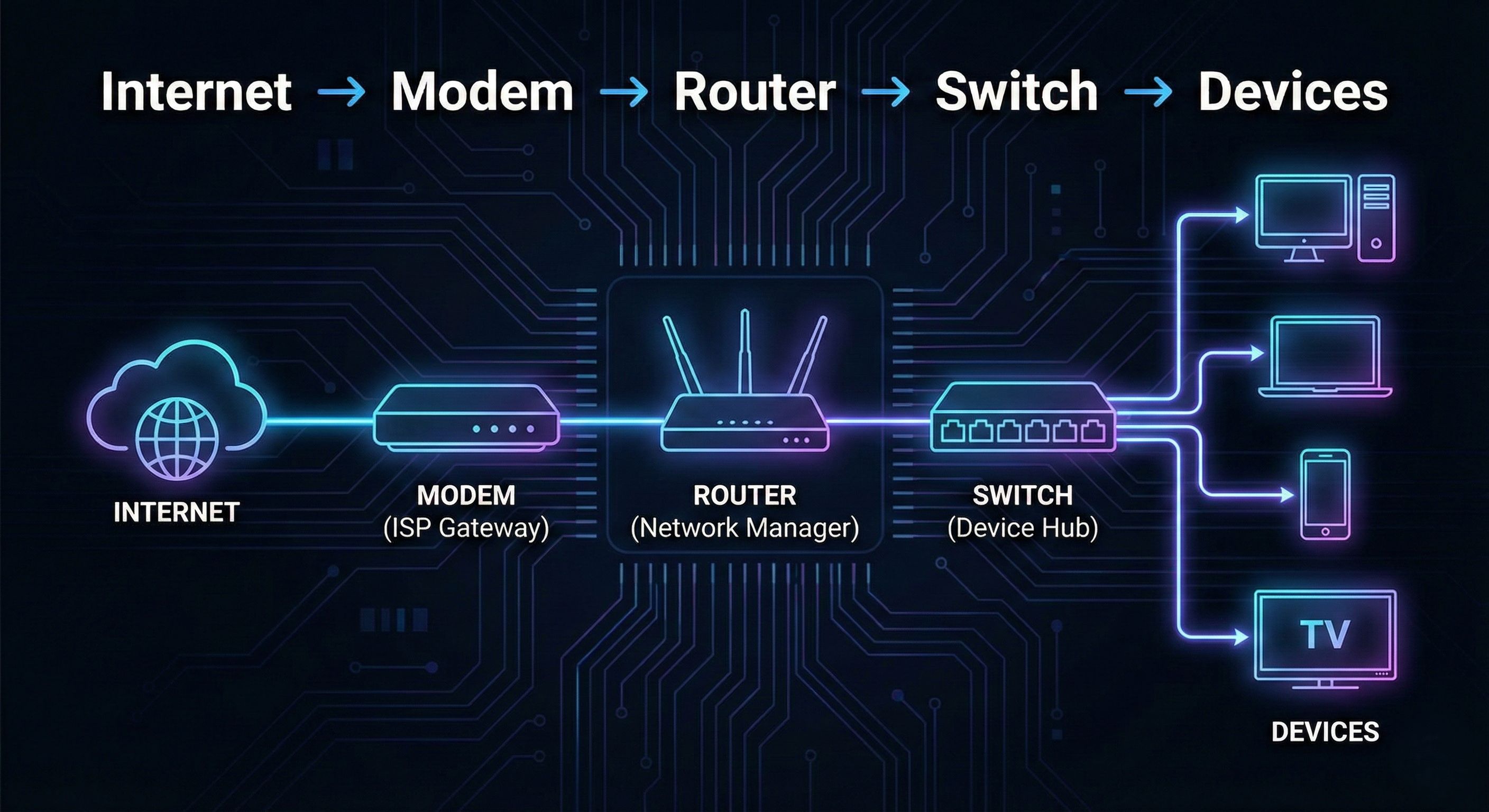
Now let’s understand each piece, one by one.
What is a Modem and How It Connects You to the Internet?
Let’s start at the boundary.
What problem does a modem solve?
Your ISP (Internet Service Provider) sends internet data in a form that:
- Your home devices cannot understand directly
A modem acts as a translator.
What does a modem actually do?
Takes data from ISP (fiber, cable, DSL)
Converts it into digital data
Passes it to your router
Modem = Internet translator
Real-world analogy
Think of the modem as:
- A language interpreter between two countries
Without a modem:
- Your network is completely isolated from the internet
What is a Router and How It Directs Traffic?
Now the internet has entered your home.
Who decides where it goes?
That’s the router.
Router’s main responsibility
Routing traffic between networks
Your router connects:
Your private home network
The public internet
What does a router do?
Assigns local IP addresses to devices
Knows which device requested what
Sends responses back to the correct device
Performs NAT (Network Address Translation)
Why routers are smart
When:
Phone requests YouTube
Laptop opens GitHub
TV streams Netflix
The router keeps track of everything.
Real-world analogy
Router = Traffic police at a junction
It doesn’t care what the data is.
It only cares where it should go.
Switch vs Hub: How Local Networks Actually Work
This is where confusion usually starts.
Let’s clear it up.
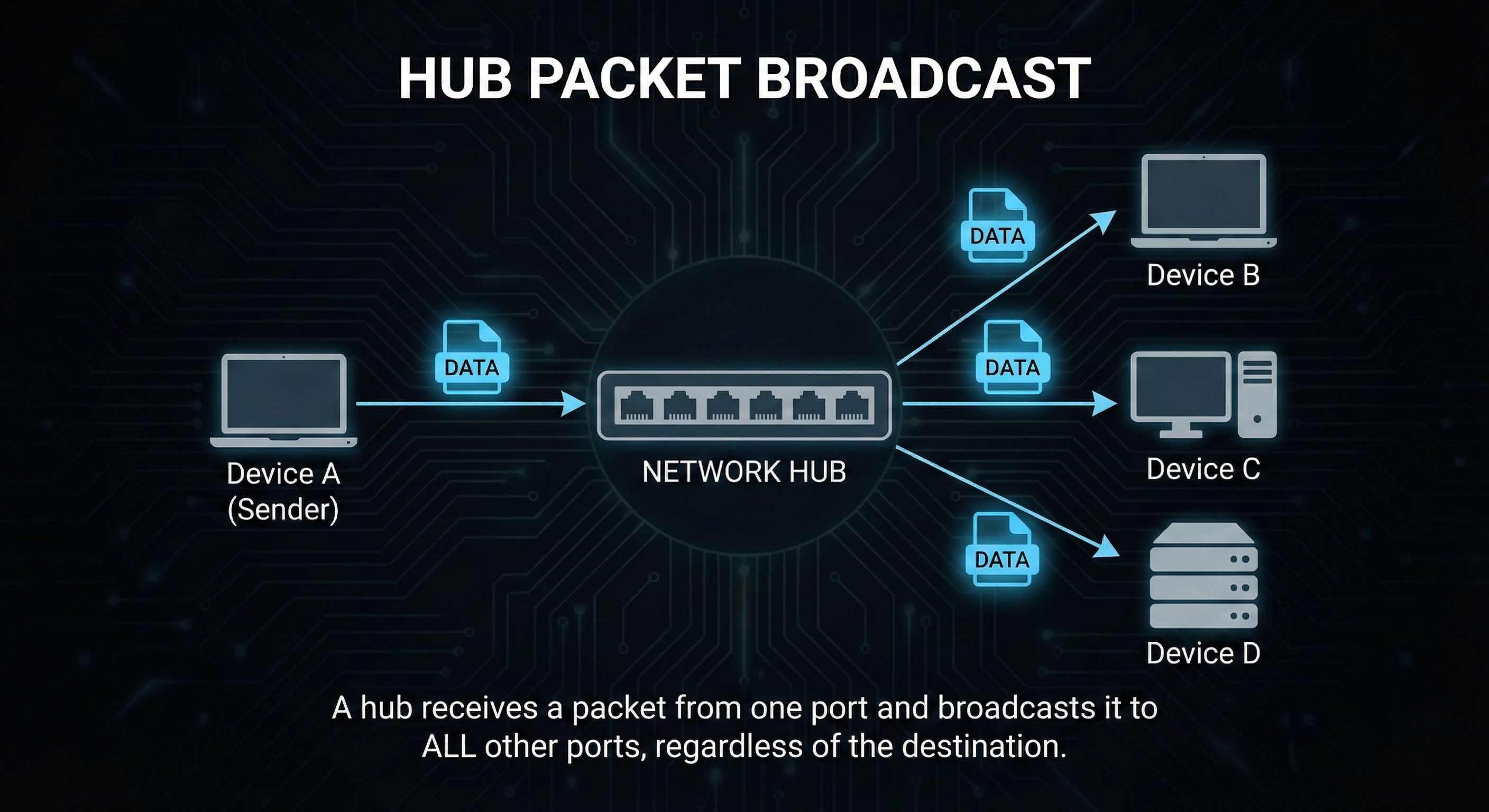
What is a Hub?
A hub is very simple.
When it receives data:
- It sends that data to every connected device
No intelligence.
No filtering.
Hub behavior
Problems with hubs
Wastes bandwidth
Security risk
Not scalable
That’s why hubs are basically obsolete now.
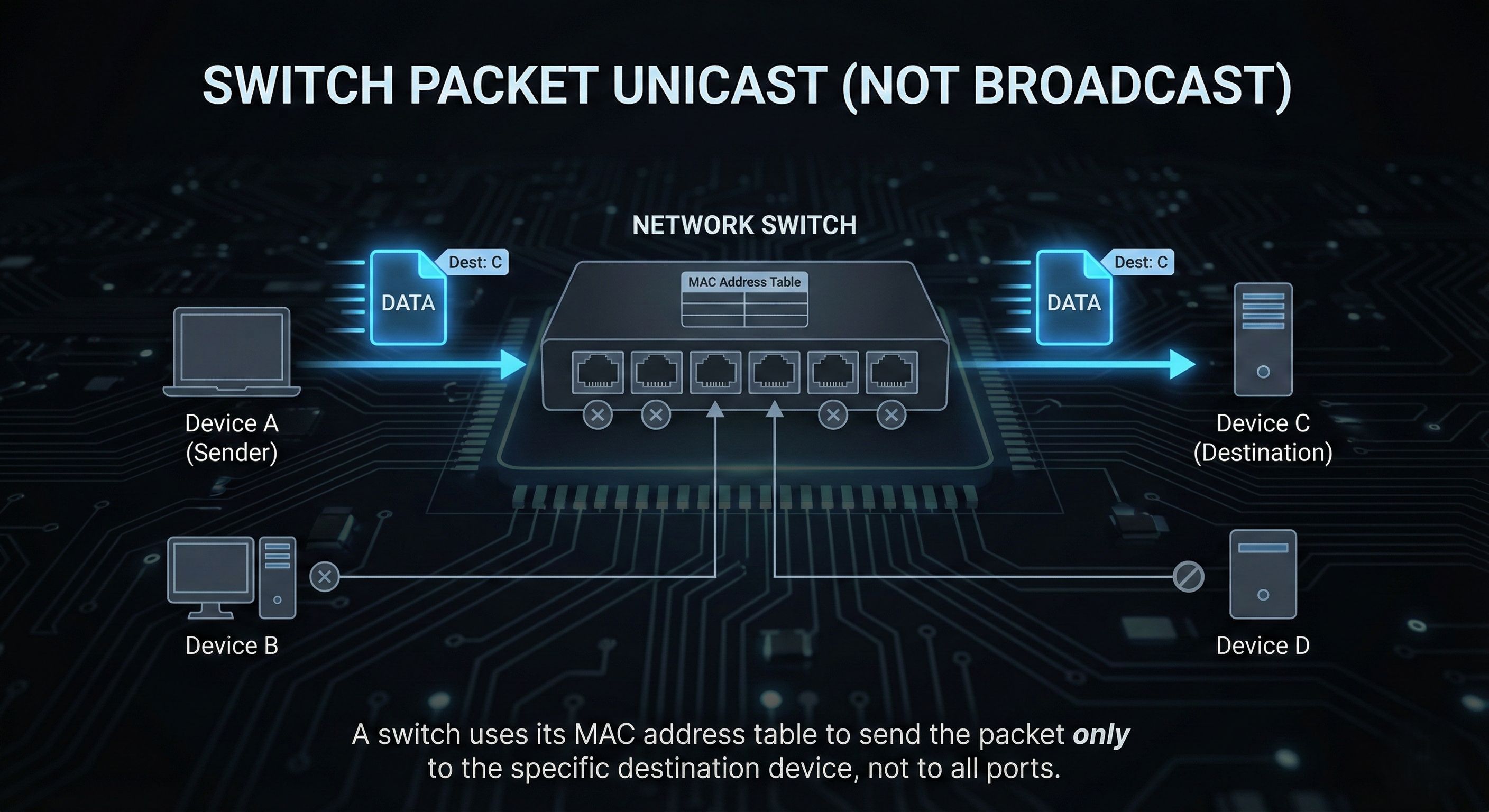
What is a Switch?
A switch is much smarter.
It:
Learns which device is on which port
Sends data only to the intended device
Switch behavior
Real-world analogy
Hub = shouting in a room
Switch = sending a sealed letter
Modern networks use switches, not hubs
What is a Firewall and Why Security Lives Here?
Now let’s talk about protection.
What problem does a firewall solve?
The internet is not friendly.
There are:
Attackers
Bots
Malicious requests
A firewall acts as a security gate.
What does a firewall do?
Inspects incoming and outgoing traffic
Allows or blocks traffic based on rules
Protects internal systems from threats
Rules can be like:
Allow HTTP/HTTPS
Block unknown ports
Restrict IP ranges
Where does a firewall sit?
Usually:
Between your network and the internet
Or in front of servers
Real-world analogy
Firewall = Security guard at the gate
Not everyone gets in.
What is a Load Balancer and Why Scalable Systems Need It?
Now we move to production systems.
Imagine:
Thousands of users
One server
That server will die
Enter the Load Balancer
A load balancer distributes traffic across:
Multiple servers
Multiple instances
What does it do?
Receives client requests
Chooses a healthy server
Forwards the request
Improves reliability and performance
Types of load balancing
Round-robin
Least connections
IP-based
You don’t need details yet.
Just remember the purpose.
Real-world analogy
Load balancer = Toll booth system on a highway
Traffic is spread evenly so nothing collapses.
End-to-End Web Application Architecture
Now let’s think like backend engineers.
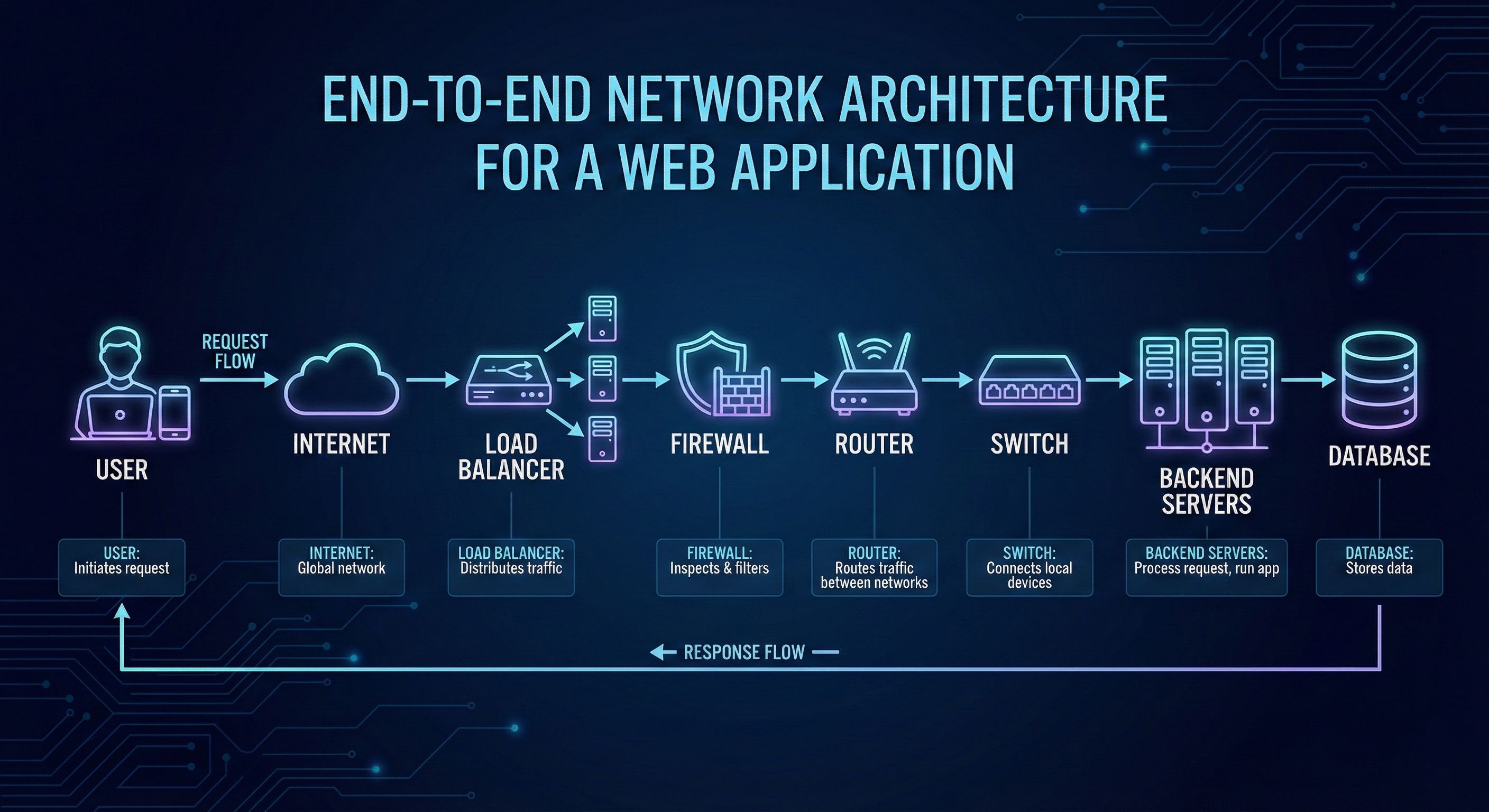
Your API request travels through all of this
before it ever hits your backend code.
Why Software Engineers Should Care
Even if you never touch hardware:
Debugging production issues needs network understanding
Deployments depend on routing and firewalls
Load balancers affect latency and scalability
Security starts at the network level
Backend + DevOps + Cloud
Networking is unavoidable


